
iSamurai Face Swap Reviewed: What 'Uncensored' Really Buys You
iSamurai is a browser-based face swap tool that markets itself as uncensored, which in practice means it skips the aggressive NSFW filters that block legitimate work on tools like Reface and Canva. It runs on credits: one per photo swap, 50 per minute of video. Paid plans span $9.99 to $79 a month, with output capped at 480p on the cheap tiers and 1080p on the top one. Worth paying for? Yes, if you need long-form video swaps or got falsely flagged elsewhere. The free plan, which has no video at all, makes a poor trial.
What iSamurai is and who it is for
iSamurai lives entirely in the browser. There is no iOS or Android app, so every swap runs on a desktop or mobile web page rather than a native install. That one fact rules it out for anyone who edits on the move.
Billing runs on credits. Each account gets a recurring free allowance that refreshes monthly, and paid subscriptions top the balance up from there. Jobs run on dedicated H100 GPUs assigned per task, which is the basis for iSamurai's claim of no shared queue and processing measured in seconds.
The marketing leans on one word: uncensored. iSamurai pitches itself as a no-filter alternative for creators who keep hitting content blocks elsewhere. It is built for two camps. Video editors who run into hard duration limits, and digital artists whose legitimate work keeps getting false-flagged by mainstream moderation.
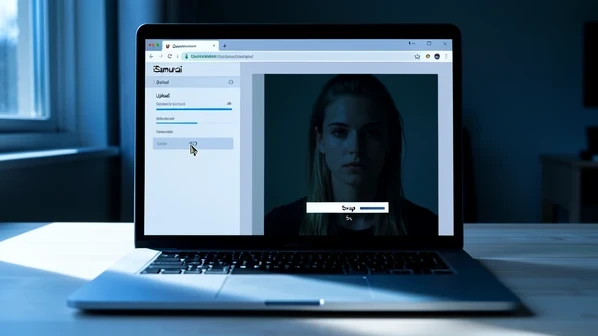
What 'uncensored' actually means in practice
An unrestricted, 100% private sandbox. Once you upload your assets to your secure gallery, the processing is entirely in your hands.
Read that sandbox quote from iSamurai's blog carefully. The platform promotes 'zero-censorship private galleries' and does not run the kind of automated NSFW classifier that flags atmospheric or artistic footage as explicit. Picture a filmmaker processing moody horror sequences: on Reface those uploads can trip the NSFW filter, and Canva has no dedicated video face swap to begin with. On iSamurai they go through.
Now the part the marketing skips. No public content policy page surfaced anywhere in research. There is no published list of prohibited content, no terms excerpt drawing the line. The freedom is asserted; its boundaries are undocumented.
Uncensored is not the same as legally unrestricted. Non-consensual intimate deepfakes are illegal under statutes in several US states and under EU rules, whatever tool made them, and the same goes for anything involving minors. iSamurai's published materials also say nothing about consent or rights when you swap the face of a real public figure. The legal obligation stays with you, not the software.
Pricing: what every tier actually includes
iSamurai sells six tiers. The table pulls credits, included video minutes, output resolution, and the slow motion ceiling straight from the iSamurai pricing page, verified at publication.
| Plan | Price / month | Credits | Video face swap | Output | AI Slow Motion |
|---|---|---|---|---|---|
| Free | $0 | 10 | None | Standard | Not included |
| Kohai | $9.99 | 150 | 3 min | 480p | Up to 2x |
| Ninja | $29 | 600 | 12 min | 480p | Up to 2x |
| Ronin | $49 | 1,500 | 30 min | 720p | Up to 4x |
| Samurai | $79 | 4,000 | 80 min | 1080p / 1440p | Up to 8x |
| Dojo | Custom | Unlimited | Unlimited | Dedicated server | Custom |
Two things to flag. The free plan carries no video processing, so its 10 credits buy ten photo swaps and zero seconds of video. And iSamurai contradicts itself on that figure: the pricing page lists 10 free monthly credits while one blog post references 50 with automatic renewal. The pricing-page number, 10, is the one verified here. Paid subscribers can buy booster credit packs when a project drains the balance, with a discount on those boosters at the Samurai tier.
Real cost per output: the credit math
The system is simple at its base. One credit equals one photo face swap on every plan. Video costs 50 credits per minute, billed by clip duration regardless of frame rate, so a 60 fps clip and a 24 fps clip of the same length cost exactly the same.
Convert credits to dollars and the tiers separate fast. Kohai's $9.99 buys 150 credits, about $0.067 per photo swap. Samurai's $79 buys 4,000, dropping that to roughly $0.020 per photo. Video follows suit: Kohai caps at 3 minutes of footage near $3.33 a minute, while Samurai stretches to 80 minutes at about $0.99 a minute.
| Plan | Cost per photo swap | Max video | Cost per video minute |
|---|---|---|---|
| Kohai ($9.99) | ~$0.067 | 3 min | ~$3.33 |
| Ninja ($29) | ~$0.048 | 12 min | ~$2.42 |
| Ronin ($49) | ~$0.033 | 30 min | ~$1.63 |
| Samurai ($79) | ~$0.020 | 80 min | ~$0.99 |
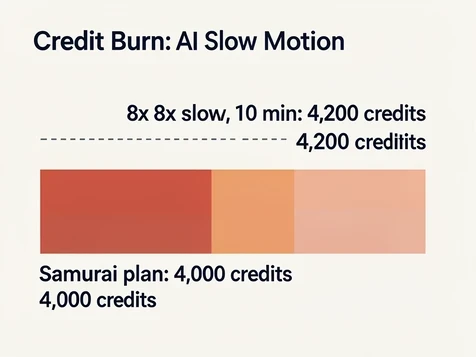
Where AI Slow Motion changes the math
AI Slow Motion bills on a steeper, separate scale because it generates new in-between frames for every second of output. At 2x it costs 2 credits per second, or 120 a minute. At 4x the rate rises to 3 credits per second (180 a minute) and unlocks only on Ronin and above. The 8x setting, exclusive to Samurai, burns 7 credits per second: 420 for a single minute.
That top rate is a trap worth spelling out. Apply 8x slow motion to a 10-minute clip and you spend 4,200 credits, more than the entire 4,000-credit Samurai allowance for the month. The multiplier, not the base video cost, is what blows up a plan.
Here is the everyday version of the squeeze. A Ninja subscriber ($29, 600 credits) who swaps faces across a 10-minute video spends 500 credits on that one project. What remains? Exactly 100 credits, good for 100 photo swaps and nothing else until the next cycle.
Feature walkthrough: Quick Swap, Studio PRO, and Slow Motion
Quick Face Swap is the default path: upload a source face, pick a target, click once. It handles lighting and skin tone matching automatically, then aligns the face angle for you. A quality selector offers SD for fast mobile output, HD, or Full HD for professional work.
Face Swap Studio PRO is the feature rivals cannot match on paper. It is a timeline-based, non-linear editor running in the browser, with support for up to 10 distinct faces swapped at once and keyframe-level control. For a crowd scene where ten actors need new faces, you map each one on the timeline instead of running ten separate jobs.
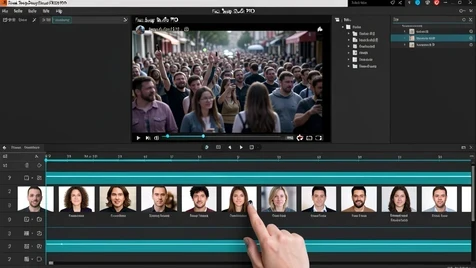
AI Slow Motion deserves a note on mechanism, since its credit cost only makes sense once you know what it does. It synthesizes genuinely new frames between the originals rather than stretching the ones you shot. That is why motion stays smooth at 8x, and why it is expensive.
- Multi-Face Swap scans a whole frame and presents a gallery of detected faces so you can assign replacements selectively.
- Face Restoration Tool cleans up blurry or uncanny-valley output in one pass.
- Damaged historical photos get their own route: Old Photo Restoration, which repairs tears and degradation entirely outside the swap workflow.
Speed is where the dedicated GPU shows its hand. The processing step itself runs 5 to 25 seconds, and for clips under 15 seconds the full upload-to-download cycle finishes in under 30 seconds, per iSamurai's own benchmarks.
Output quality: what to expect and when it slips
Quality is fenced by your plan. Kohai and Ninja top out at 480p, Ronin reaches 720p, and only Samurai delivers 1080p and 1440p. On eligible plans the AI auto-upscales swaps to as much as 1080p HD, and the developer API exposes matching quality settings from 480p up to 1080p.
Results hold under good conditions and slip under predictable ones. A low-resolution source face gives the model too little to work with. An extreme angle mismatch, say a profile shot mapped onto a head-on frame, produces visible warping. A wide skin tone gap between the two faces leaves a seam along the edges. The Face Restoration Tool exists to rescue exactly these cases as a second pass.
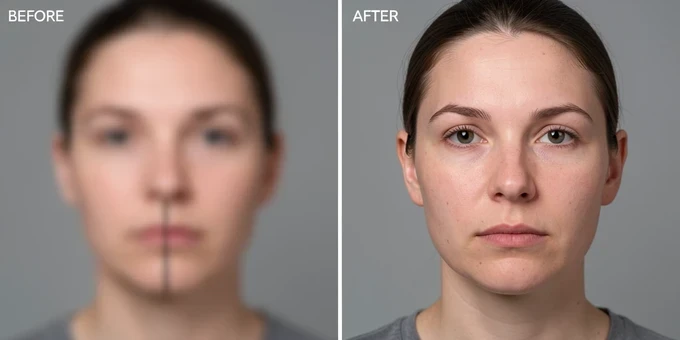
One honesty note belongs here. No independent third-party benchmark and no side-by-side rendered sample comparison was available at research time. This review rests on documented specifications and stated capabilities, not on an external lab test.
Privacy and data handling
We don't sell your biometric data to cover our server costs. Your uploads are private and deleted automatically.
iSamurai's privacy pitch rests on two claims, both repeated across its pages: uploads are deleted automatically after processing, and the company does not sell biometric data. Your source faces stay in a private gallery for reuse between sessions, while finished videos remain downloadable only for a limited window. Processing happens on the dedicated GPU cloud under stated privacy controls.
Two silences matter. Nothing in the published materials says whether your uploads train iSamurai's models, and no jurisdiction is disclosed for where processing physically happens. For sensitive footage, that absence is itself a data point.
iSamurai vs the alternatives
Stack iSamurai against the usual names on the axes this audience cares about. For video duration, paid iSamurai plans set no hard per-clip cap, where Reface handles only short clips and Canva offers no dedicated video face swap at all. On the credit model, iSamurai refreshes credits monthly, Remaker AI makes you log in daily to accumulate them, and DeepSwap hands out 20 a month.
Multi-face is iSamurai's clearest edge: up to 10 simultaneous swaps against the 1 or 2 most rivals manage. On filtering, it markets itself as no-filter while Reface and Canva run NSFW classifiers that catch legitimate artistic content. The genuinely different beast is DeepFaceLab, which gives you local control and no subscription but demands a capable GPU and command-line setup. iSamurai asks for neither, since it is browser-only.
Verdict: who should use iSamurai
iSamurai earns its place for a specific reader. If you produce long-form video and keep slamming into duration caps, if mainstream tools keep false-flagging your work, or if you need real multi-face timeline editing inside a browser, this is the strongest cloud option around.
It is the wrong tool for plenty of others. Casual users who want free video are out, because the free plan excludes video entirely. Anyone on Kohai or Ninja who needs HD is stuck at 480p. And mobile-first editors have no app to open.
On budget, the math favors Samurai. At $79 a month it delivers the lowest cost per output by a wide margin, though that is a real commitment rather than a casual sign-up. The caveat running through this whole review gets the last word: the uncensored positioning is genuine in practice but unbacked by any published content policy. The freedom is real. So is the responsibility, and it sits with you.