
Offline Face Swap Apps That Never Upload Your Photos
Yes, Offline Face Swap Apps Exist: What to Know First
Yes. Several apps run the whole swap on your phone or computer with no internet connection, which means your photos and video never reach a server. FaceXSwap on iOS and macOS, FaceSwapL on Android, and Face Swap Offline AI Remaker on Android all confirm the core swap happens locally. On-device AI face swap means the neural network that detects and blends faces lives inside the app and runs on your own chip rather than a remote one. So the picture stays where you took it.
But there is a catch worth flagging before you trust any of them. An app can process faces locally and still hand itself broad rights to your content through its Terms of Service, or quietly pass your location and device IDs to ad networks. FaceXSwap is the clearest case: its privacy policy promises local-only processing while its ToS grants a worldwide commercial license. The rest of this guide separates what is genuinely private from what only looks private.
The Offline vs. Cloud Distinction: What 'Local Processing' Actually Means
With a cloud tool, your source photo and target image travel to the company's servers, get processed on data-center GPUs, and come back as a finished file. Local processing skips that round trip. The model ships inside the app, the swap runs on your device's chip, and nothing leaves your storage. Nothing uploaded, no server copy of your face. Magic Hour, a popular cloud face swap tool, has no offline mode at all, which is exactly the round trip you avoid by staying local.
That privacy costs compute. Running a neural network on your own hardware leans on the device's chip, and Apple's Neural Engine on an M1 or later handles it smoothly while an older phone may stutter or stall on video. The same swap that finishes in seconds on a current flagship can crawl on a budget handset.
Local does not always mean silent. An app can run the swap on-device and still reach out to the network for other reasons. Several Android face swap apps that market themselves as offline disclose in their Google Play Data Safety listing that they may share data such as location or device identifiers with third parties. The face swap stays local; the app's other plumbing may not.
Best Offline Face Swap Apps by Platform
Your best offline option depends on what you carry. Below are the verified on-device choices grouped by platform, each with the specs and the caveats that matter.
iOS and macOS: FaceXSwap
FaceXSwap runs its AI swap entirely on the device and needs no connection to work. It handles both photos and video, supports multi-face swaps, and weighs 176.4 MB. On the App Store it holds a 4.4 out of 5 average across 13 ratings, a thin sample, so treat the score as early signal rather than proof. It requires iOS 15 or later, and Mac use needs macOS 12 with an Apple M1 chip. Pro pricing runs $2.99 weekly, $11.99 monthly, or $49.99 a year.
Android: FaceSwapL
FaceSwapL does all its swapping on the phone with no upload required, and it adds a trick the others lack: live real-time face swap through the camera while you record. A Custom Face Library lets you tune hue, saturation, brightness, and opacity per face, plus deformations of eyes, nose, and mouth. It carries 4.2 stars from 84 reviews and more than 5,000 downloads. One caveat straight from the developer: the live mode performs best on higher-end devices, so a budget phone may lag.
Android: Face Swap Offline AI Remaker
This one is built for group shots. Every task runs locally, and it covers single swaps plus multi-face workflows for group photos and cosplay collages. Downloads sit above 1,000, a smaller footprint than FaceSwapL but enough to clear the abandoned-app worry. Reach for it when you need several faces swapped in one frame rather than one at a time.
Windows and macOS desktop: Gilisoft and PhotoWorks
Desktop offline options are thinner, but two stand out. Gilisoft sells an Offline FaceSwap Master plan for a $79.95 lifetime license with unlimited usage, local data storage, and no cloud uploads, kept separate from its usage-billed cloud plan. PhotoWorks takes a different route: it swaps faces with a manual brush-stroke selection instead of AI detection, and runs on Windows 11 down to 7 and macOS 12 or later. One is automated. The other is hands-on.
| App | Platform | Offline | Photo | Video | Multi-face | Free tier | Price |
|---|---|---|---|---|---|---|---|
| FaceXSwap | iOS, macOS | Yes | Yes | Yes | Yes | Yes | $2.99/wk to $49.99/yr |
| FaceSwapL | Android | Yes | Yes | Yes | Not stated | Yes | Free |
| Face Swap Offline AI Remaker | Android | Yes | Yes | Not stated | Yes | Yes | Free |
| Gilisoft Offline FaceSwap Master | Windows, macOS | Yes | Yes | Not stated | Not stated | No | $79.95 lifetime |
| PhotoWorks | Windows, macOS | Yes | Yes | No | Manual | Not stated | Paid |
The Privacy Red Flag You Need to Know: 'Offline' Apps That Still License Your Content
The most private-sounding app in this roundup is also the one with the loudest contradiction. FaceXSwap markets itself on local processing, yet its two policy documents tell different stories.
Privacy Policy: 'All face-swapping functions are executed locally on the user's device. We do not collect, store, upload, or share any face data with third parties. Temporary data generated during processing is only held in memory and is deleted immediately after the operation.'
Terms of Service: 'By uploading contents to our App, the user grants both us and fellow App users a non-exclusive worldwide license for that image. This license allows us to distribute the image, use it to create derivative works and other commercial purposes.'
Both can be true at once. The privacy policy describes the face swap function, which really does run in memory and on-device. The ToS kicks in the moment you upload content to any optional online or sharing feature, and at that point you have granted distribution and commercial-use rights worldwide. That gap is where a privacy-conscious user gets caught: the marketing reads 'nothing leaves your device,' while the fine print reserves a sweeping license for anything that ever does.
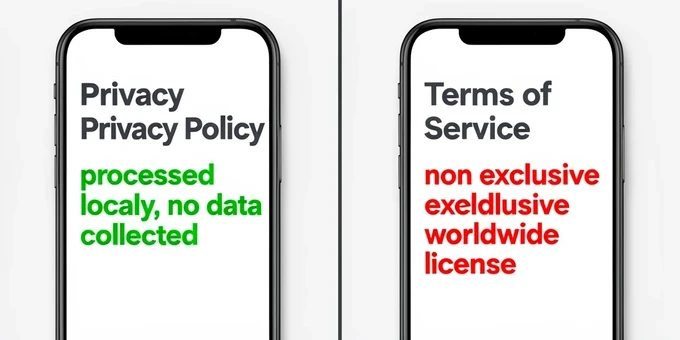
Apply the same read to any face swap app before you trust its offline badge. Open the Terms of Service and search for four phrases:
- Non-exclusive license lets the developer use your content while you keep nominal ownership, so the right is shared rather than handed over.
- Worldwide quietly removes any geographic limit on what you grant.
- Commercial purposes, the phrase that can turn a fun edit into someone else's revenue.
- And derivative works, which permits new media spun from your image.
Android's offline apps carry a quieter version of the same gap, and Google Play's Data Safety section is where it surfaces. FaceSwapL's entry reads 'This app may share these data types with third parties: Location, App activity and 2 others. No data collected.' Face Swap Offline AI Remaker lists 'Location and Device or other IDs. No data collected.' Read that closely. 'No data collected' refers only to what the developer keeps for itself, not to what gets passed to ad networks or analytics partners. An app can share your location and still post that badge truthfully.
How to Verify an App Is Truly Offline (Without Taking Its Word for It)
Trust, but verify. The fastest check is also the bluntest: cut the network and see if the swap still runs. One thing first, disabling Wi-Fi alone is not enough, because cellular can pick up the slack. Turn both off, or just use airplane mode, so you know no radio is open.
On Android, switch airplane mode on before you open the app, then run a single swap. Launch FaceSwapL, load a photo, and complete the swap with every radio off. If it finishes and no network error appears, the core processing is genuinely local. Then reopen the Play Store listing and read the Data Safety section to learn what the app shares once the radios are back on.
On iPhone, disable Wi-Fi and cellular, or run a network monitoring app such as Network Analyzer and watch for outbound connections while the swap runs. Screen Time's network activity view can corroborate which apps reached out and when.
On desktop, a firewall monitor does the watching for you. Little Snitch on macOS and GlassWire on Windows show every outbound connection in real time. Open Gilisoft Offline FaceSwap Master, start a swap, and watch the monitor: a truly offline run produces no DNS lookups and no HTTP or HTTPS requests to non-local IPs during the operation itself.
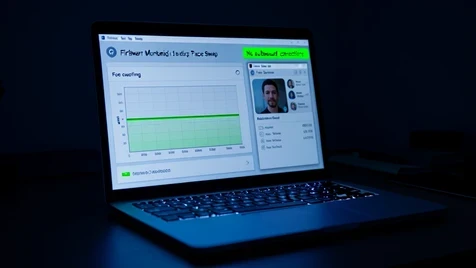
That timing is the whole test. You are looking for traffic during the swap, not before or after it. And here is the caveat that keeps the check honest: even a genuinely offline app may phone home for analytics, ads, or a license check. Those connections are real, but they are separate from a face data upload. A little traffic does not automatically mean your photo left the device; it means you should check when the traffic fired and where it went.
Hardware Requirements: What Device Do You Need for Offline AI Face Swap?
Newer is faster, and the gap is wider than you would expect. FaceXSwap sets a hard floor: iOS 15 or later on iPhone, iPadOS 15 on iPad, and macOS 12 with an Apple M1 chip on Mac. Below those versions the app will not run. Above them, the chip generation decides your experience. An iPhone XR, which barely clears the iOS 15 cutoff on its A12 Bionic, can finish a still swap but labors on video, where an iPhone 15 Pro with the A17 Pro renders the same clip in a fraction of the time.
Android tells the same story through fragmentation. FaceSwapL's own note warns that live face swap and some advanced features perform optimally only on higher-end devices, so a budget MediaTek phone may drop frames in the camera mode that a flagship Snapdragon handles cleanly. On-device AI is compute-heavy by nature: pre-A12 iPhones and entry-level Android handsets often produce slow results or fail outright on video.
Desktop sidesteps much of this. PhotoWorks leans on manual brush selection and Gilisoft uses lighter processing, so both run on older machines that would choke on a mobile neural model. Whatever device you own, run one short clip or a single photo first. That quick test tells you whether the app can manage a full video before you commit twenty minutes to a render that might stall halfway.
Quick Verdict: Which Offline Face Swap App Should You Use?
Match the device and the job to the app.
- On iPhone or iPad and want AI-powered offline swaps in photos and video? FaceXSwap, but read its ToS before you upload anything to its online features.
- FaceSwapL is the pick for Android users who want live camera face swap, as long as your phone is recent enough for the live mode.
- For Android group photos and multi-face cosplay shots, Face Swap Offline AI Remaker.
- Gilisoft Offline FaceSwap Master suits desktop users who would rather pay once ($79.95 lifetime) than rent a subscription.
- Want a simple manual method on desktop with no AI at all? PhotoWorks and its brush-stroke selection.
- Stuck off-grid, say a creator on a plane who needs to swap faces in a group vacation photo before landing, any option here handles the core swap. For that multi-face group shot on Android, open Face Swap Offline AI Remaker; kill the network first and confirm it with the checklist above.
ok so the trick where the ToS license only kicks in if you upload to the share feature kinda blew my mind. just never tap share and you keep your photos AND dodge the license? ngl that's clever
sure, in a perfect world. you're trusting that "upload" only means the share button and not some background sync. did anyone actually packet capture it
i read the FaceXSwap policy twice. privacy policy says local-only, the ToS license triggers on "uploading contents to our App". the gap is real but the wording is vague enough i wouldn't bet my face on it
lol the airplane mode test is the only thing i trust tbh
49.99 a year just to swap faces offline? gilisoft is 79.95 once. did the math, gilisoft pays for itself in under 2 years if you'd actually keep using it
airplane mode, run swap, done. anything past that is overthinking
small thing, article says FaceSwapL has 84 reviews and 5000+ downloads. checked the play store just now and it's already sitting higher than that. those numbers drift
wait so even with airplane mode on, the app could still queue an upload for when you reconnect? now i'm paranoid
yeah that's exactly the hole. cutting network DURING the swap proves the compute is local, it proves nothing about what happens once the radios come back. deferred upload is still upload
idk man i just don't use the share button and call it a day
the "no data collected" badge is the sneaky part. it only covers what the dev keeps for itself, not what gets passed to ad networks. FaceSwapL's own listing admits location and app activity shared with third parties
so the android free ones you're paying with location data instead of cash. nothing's actually free
been lurking but the workaround that actually works is little snitch on mac. watched gilisoft run a swap, zero dns lookups during it. that's the only proof i accept
^ this. firewall monitor or it didn't happen
grabbed network analyzer on my iphone XR last night, video swap took like 40s and dragged lol but no outbound traffic while it ran
XR on video is rough, the A12 barely clears the floor. wouldn't push clips through it at all
the hardware floor is the quiet dealbreaker. macOS needs M1, full stop. my 2017 imac can't even launch FaceXSwap, had to fall back to gilisoft
which kinda makes the 79.95 gilisoft license look smarter if you're stuck on older hardware anyway
on paper maybe. but gilisoft's free tier is a flat No. so you're dropping 79.95 blind unless there's a trial somewhere
is there even a trial? i looked and couldn't find one
the part nobody's touching, the article lists FaceSwapL's live camera swap as the thing the others lack. that real-time recording mode is the actual non-obvious feature here, not the privacy angle
oh the live swap while you record? that sounds insane, does it actually keep up in real time?
only on flagships. the dev literally says budget mediatek drops frames in that mode
tried face swap offline ai remaker for a group cosplay shot, 7 faces in one frame, all swapped locally with airplane mode on the whole time. that one delivered
7 faces clean? on what phone
had a weird thing happen with remaker once, long story
reading this on lunch and now i'm just gonna airplane-mode test every app on my phone tonight
one thing the article nails, the timing is the whole test. traffic during the swap is the red flag, traffic before or after could just be a license check. people conflate the two and panic
tldr skipped most of the privacy section but the airplane mode test is the only takeaway that actually matters
photoworks getting slept on in here. brush selection, no AI, runs down to windows 7. for a quick one-off that's plenty
it's fully manual though. brushing a face onto a group photo of 5 people by hand sounds like a whole evening gone
so for android group shots it's remaker, iphone it's facexswap but don't touch share, cheap-and-manual is photoworks. did i get that right or am i mixing two of them up
still nobody's said if airplane mode actually stops a deferred upload or just delays it till you reconnect. has anyone reconnected and watched what fires?