
Insert your face into a superhero picture: the free, no-experience guide
Pick a hero with a visible face. Upload a clear, frontal selfie. Run a free AI face swap tool like Fotor, Pixlr, or Photoleap, and the result is ready in seconds. The two decisions that quietly ruin most swaps are choosing a fully masked hero (Spider-Man, closed Iron Man helmet) and uploading a dim or angled selfie. Get those right and the rest is one button.
This guide walks through five free tools, a scannable comparison, and the fixes for the specific failure modes superhero swaps produce: helmet detection failures, costume lighting that clashes with bathroom selfies, and faces that land too small on a hero body.
What you need before you start: the superhero photo preparation checklist
Two images decide the outcome: your source selfie and the target hero. AI face detection reads facial landmarks (eyes, nose, mouth corners), so anything that hides or distorts those landmarks breaks the swap before the tool even runs.
- Source selfie: clear, well-lit portrait against a neutral background, in JPEG or PNG, square crop preferred, at the highest resolution your phone allows.
- Head angle: roughly frontal in both photos. A profile selfie on a frontal hero produces a tilted, distorted face.
- Expression: neutral or a slight smile reads naturally on most hero template poses; theatrical grins rarely match.
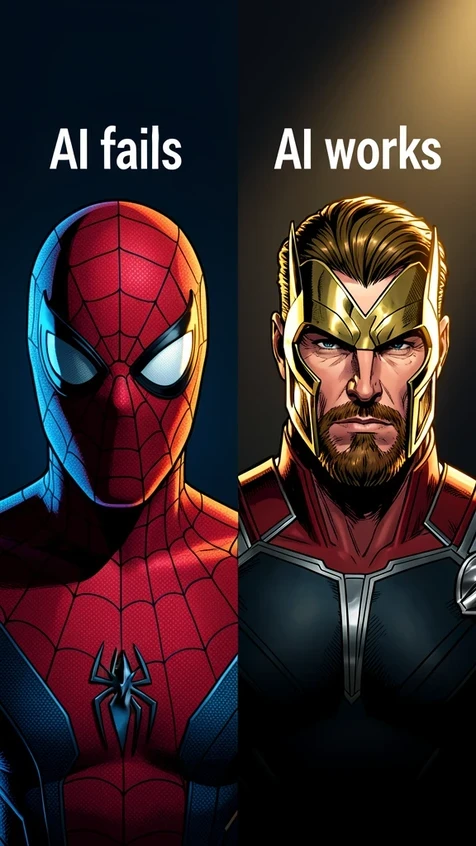
- Hero choice: skip fully masked or helmeted heroes. A closed Spider-Man mask or sealed Iron Man helmet gives the AI zero landmarks to align to and the tool will fail silently or produce a smear.
If you only have a masked hero image and want that exact look, use a manual frame-overlay app instead of an AI tool. More on that in the comparison below.
Method 1: Fotor Face-in-Hole, the fastest browser route
Fotor is the path of least resistance. No account is required to open the tool, and the template menu already contains superhero scenarios you can drop a face into.
- Open Fotor and click the Try Free Face-in-Hole Tool button.
- Upload your selfie. Stick to a clear, well-lit, frontal shot.
- Browse the right-side menu for a superhero scenario, or upload your own target image of an unmasked hero.
- Let the AI place the face automatically. The blended image usually appears within a few seconds.
- Download the result and share it on social media or save it for an invitation card.
Because no signup gates the workflow, Fotor is the right pick when you just want to try the idea once and see whether the hero you have in mind will even work as a target.
Method 2: Pixlr AI Face Swap for clean PNG output
Pixlr is the tool to pick when you intend to do anything with the result besides post it: print an invitation, drop it into a slide, layer it onto another design. PNG keeps the edges clean, and Pixlr also makes the strongest privacy claim of the five.
- Go to pixlr.com and open the AI Face Swap tool from the menu.
- Upload your source face photo as a high-resolution JPEG or PNG, face clearly visible and frontal.
- Upload the target superhero image, or pick one from Pixlr's template library. Skip fully masked heroes.
- Click Run Face Swap. The blended result is ready within seconds.
- Click the image to download it as a PNG.
Pixlr states: With our tool, your creative output is entirely yours to own, ensuring your content remains private and secure. If a tool's data handling matters to you, that wording is worth weighing against vendors who say nothing on the subject.
Method 3: Photoleap FaceSwitch on iOS and Android
If you want to do this from a phone without a browser detour, Photoleap is the mobile pick. Per Photoleap, the app has 35M+ users and offers a 7-day free trial, cancel anytime; after the trial it becomes a paid subscription. Worth knowing before you start, because the FaceSwitch feature sits behind that trial gate.
- Install Photoleap on iOS or Android and open it.
- Tap FaceSwitch under Instant Edits in the launcher menu.
- Choose your selfie from the camera roll.
- Pick a superhero body template whose face angle roughly matches your selfie.
- After the AI swaps the face, use the adjustment controls to resize or nudge the face if it sits awkwardly on the body proportions.
- Share directly to social media or save to the device.
The resize and reposition step is the one most people skip. Even a clean AI swap is rarely perfectly scaled on the first pass, and Photoleap exposes those controls without burying them.
Method 4: JoggAI Face Swap when you also want a short video
JoggAI is the only tool in this lineup that handles both stills and short video. Per JoggAI, the free tier is limited to 1 free swap per image or short video, and video support tops out at 10 seconds. That single-swap quota means you should preview, decide, and only run the swap when your inputs are right.
- Upload your source face image, or a clip up to 10 seconds if you are swapping into video.
- Upload the target superhero image. Pick a hero with a clearly visible face.
- Click Swap Face Now and wait a few seconds for the blended result.
- Download the finished image or clip.
JoggAI also publishes the etiquette layer most tools skip: avoid uploading photos of other people without permission, and treat copyrighted superhero imagery as personal or entertainment use rather than commercial output.
Method 5: LightX AI Superhero Avatar Generator
LightX is a different beast. It does not paste your face onto an existing hero body. It generates a brand-new stylized portrait of you re-imagined as a superhero. Set expectations before you click Generate: you will get an avatar, not a face-in-costume swap.
- Upload a well-lit, in-focus portrait, preferably square, JPEG or PNG, with all facial features clearly visible.
- Pick a superhero style from the gallery and click Generate.
- Choose your output resolution.
- Download the avatar as JPEG or PNG.
Use LightX when you want a portrait-style result for a profile picture or a printed gift. Use Fotor, Pixlr, Photoleap, or JoggAI when you want your face on a recognizable hero body.
Tool comparison at a glance: free tier, watermark, platform, output
Verify sign-up requirements and watermark policies at the moment you use a tool, since vendors change these without notice. The notes below reflect the published behavior at publication time.
| Tool | Platform | Free tier | Output | Notes |
|---|---|---|---|---|
| Fotor Face-in-Hole | Browser | Free to try | JPEG | No account needed to start; superhero templates built in. |
| Pixlr AI Face Swap | Browser | Free | PNG | Strong privacy wording; clean PNG export. |
| Photoleap FaceSwitch | iOS, Android | 7-day trial, then paid | Mobile share | 35M+ users; resize and reposition controls included. |
| JoggAI Face Swap | Browser | 1 free swap per image or video | Image or video | Only option in this list that supports video up to 10 seconds. |
| LightX Avatar Generator | Browser | Free to generate | JPEG or PNG | Generates a stylized avatar, not a body swap. |
| OpenArt | Browser | Free generations | JPEG or PNG | Lets you tune creativity level and run multiple variations. |
| Superhero Photo Frame Editor | Android | Free, no account | JPEG | Manual frame overlay, not AI detection. Lower realism but works with masked heroes. |
Superhero Photo Frame Editor is the escape hatch for masked-hero scenarios. It places your photo behind a costume frame rather than detecting a face, so a sealed helmet template will not break the workflow.
Troubleshooting: when the AI gets it wrong
Problem: the AI cannot find a face
Cause: the target hero is masked or helmeted, so there are no facial landmarks for the model to align to. Fix: pick an unmasked hero (Thor, Captain America without a helmet, Black Widow), or fall back to a frame-overlay app like Superhero Photo Frame Editor, which composites without needing landmarks.
Problem: the face looks pasted on, skin tone is off
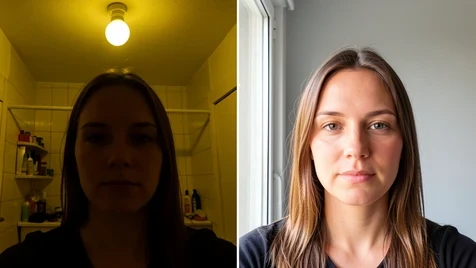
Cause: dramatic costume lighting on the hero image clashes with flat lighting on your selfie. Fix: re-shoot the selfie near a single window, with the light coming from roughly the same direction as the highlight on the hero's face. If a re-shoot is not possible, generate several variations and keep the version where the skin transition reads naturally.
Problem: the face is the wrong size on the body
Cause: the AI scales based on the face it detects in your source. A loose, full-body selfie gives it a tiny face region to work from. Fix: use the resize and reposition tools after generation (Photoleap exposes these directly). If your tool has no manual controls, crop the source selfie closer to the face before uploading and run the swap again.
Problem: head angle mismatch creates a tilted face
Cause: a three-quarter selfie on a frontal hero (or vice versa) forces the model to twist landmarks into positions they were not photographed in. Fix: either pick a hero image whose head angle matches your selfie, or retake the selfie to match the hero. Frontal-to-frontal is the most forgiving combination.
Problem: the first result looks unnatural
Generating multiple versions and refining them tends to improve the final output compared to settling for the first try. OpenArt exposes a creativity level slider for this; tools without that control still benefit from running two or three generations and picking the best.
Legal and ethical rules for sharing your superhero face swap
Personal and entertainment use of superhero imagery is broadly accepted in practice. Selling merchandise that uses Marvel or DC characters without a license is not. Posting a one-off birthday card for a friend is a different category from printing T-shirts.
- Do not edit or share images of other people without their explicit consent. Per CyberLink/MyEdit: "Unauthorized use may violate privacy, publicity, or other legal rights. Users are responsible for securing proper permissions."
- Label public posts as AI-generated fan art. It avoids confusion with official imagery and keeps you aligned with platform rules on synthetic media.
- Treat copyrighted superhero imagery as personal or entertainment use only, not commercial output.
Privacy varies by tool. Pixlr and OpenArt both state that uploaded images and outputs remain private to the user. The Android Superhero Photo Frame Editor states no data collected, no data shared with third parties, data encrypted in transit, and users can request data deletion. The iOS Superhero app developer has not provided privacy details to Apple, which is worth flagging if you were considering that route on iPhone. Verify these policies at the moment of use; vendors update them.
quick q before i upload my face anywhere, do these actually delete the selfie after or does it just sit on some server forever
they all say private but who's auditing that. pixlr's exact wording is your output is yours, that's about ownership not deletion. two different things
yeah i wondered the same. did a fotor swap once and never once thought about where the pic ended up lol
wait so are the free ones the sketchy ones? or is it the other way round
not really a free vs paid thing. the article flags that the ios superhero app gave apple zero privacy info. that's the one i'd stay away from
ok that's the bit that got me too. no privacy details listed at all = hard pass tbh
i mean openart and pixlr both say uploads stay private, it's right there in the article. isn't that good enough?
saying it and proving it aren't the same. but sure, on paper it beats saying nothing
reading this on lunch and now im side eyeing the 14 swaps i did for a party invite last month lol
same, did a bunch for a groupchat thing and never opened a single policy
the android frame editor is actually the interesting one here. it says no data collected and you can request deletion, and it doesn't even run face detection so your landmarks never get processed in the first place. if privacy is the whole point that's probably the safest route, even if the output looks rougher.
huh ok didn't connect that the frame one is safer because it skips detection. makes sense
but the frame editor only does masked heroes right? can you even do an unmasked thor with it
think it just drops a costume frame over your photo so it works with anything, mask or no mask
right, zero landmark detection. lower realism is the tradeoff. honestly for a kid's birthday card nobody's pixel peeping anyway
dumb question but does the swap run on my phone or on their servers? cause that kinda changes the whole privacy thing no
the browser ones are their servers, basically always. your selfie leaves the device the second you hit upload
yeah figured as much. kinda kills the private angle for all the web tools then
meh
joggai at least has that etiquette note, don't upload other people's faces without permission. small thing but i liked that they bothered to say it
that's them covering themselves legally, not protecting your data. completely different problem
wait does the 1 free swap on joggai mean they hold onto the image after or
no idea on that one honestly
someone above said the ios app has no privacy info, where's that in the article? must've skimmed right past it
near the bottom. the ios superhero developer hasn't given apple privacy details. it's flagged twice actually
tldr skipped most of it and jumped to the comparison table. the privacy column isn't even in the table which is kind of the whole issue
honestly good point, the table has watermark and platform but nothing on data. that would've been the most useful column by far
would genuinely pay for one of these if i knew for sure the selfie got wiped after. not one of them states a retention window anywhere
and they won't, vague is safer for them legally. you'll never see we delete after 24h in writing from a free tool
frustrating that there's no way to even verify any of it. you just upload and hope
did 1 swap on photoleap during the trial, face came out tiny but the resize control sorted it. completely forgot we were on privacy lol
bit off topic but does the photoleap trial actually charge you after the 7 days if you forget to cancel
back to the privacy thing, is any of these fully offline? like an app that doesn't upload at all
the frame editor's the closest since it composites locally, but a real offline ai swap, no clue, never seen one
so if every web tool ships your selfie to a server and only the frame app stays local, are we all just... handing our faces over for a meme?