
Making a celebrity-style talking video without getting blocked or sued
Short answer: you cannot point a reputable tool at a real famous face and expect it to cooperate. Hedra, HeyGen, Akool and most legitimate sites try to detect copyrighted images and celebrities and block the upload, so a real-celebrity video stalls before it starts. The workable version of a "celebrity deepfake video" uses a consenting person, an AI-generated likeness, or a clearly labeled parody. Pick a route, gather the right inputs, and a talking clip can be done in minutes. This guide walks the lawful methods and the legal fine print.
Can you actually make a celebrity deepfake video?
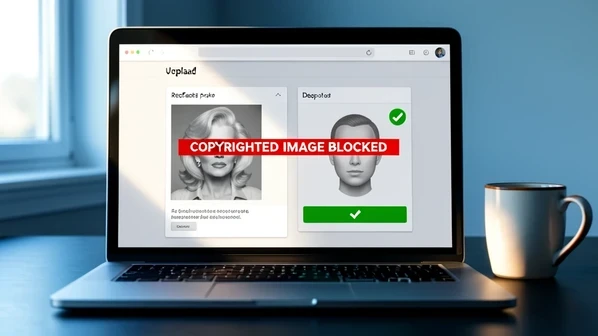
Not with the real person, no. According to KnowBe4's walkthrough, Hedra and most legitimate deepfake sites try to detect copyrighted images and recognizable celebrities and block you from using them, which is why you need the subject's permission. The block is the point, not a bug. So the honest goal shifts.
"Celebrity-style" comes down to three lawful shapes. A consenting real person who agrees to be your avatar. An AI-generated person who resembles nobody in particular. Or a parody that is obviously, visibly labeled as fake. Each one passes the upload filter that a real celebrity photo fails.
There are two practical ways to get a video out the door. The first is a browser or mobile talking-avatar tool, where you type a script, pick a face you are allowed to use, and download in a few minutes. The second is a do-it-yourself GPU face-swap pipeline, where you train a model on your own hardware for hours or days. Beginners should start with the browser path and only graduate to the GPU route if the quality demands it.
What you need before you start
Gather these once, up front. Discovering a missing input halfway through a render wastes the only thing these tools are fast at.
- A clear source photo or video, ideally HD or 4K, with the face unobscured by hands or hair.
- Permission to use the likeness and voice, or a consenting person, or an AI-generated person who maps to no real individual.
- A voice sample to clone, or a preset voice supplied by the tool.
- A free account on whichever browser tool you choose.
- For the DIY route only: an NVIDIA CUDA GPU plus FFmpeg and Dlib or OpenFace; HeyGen's guide recommends a 4-core CPU, 32GB RAM, and SSD storage for serious local work.
Method 1: browser talking avatar with a cloned or preset voice (Hedra)
This is the fastest beginner path. KnowBe4 reports the actual video finishing in a few minutes, with the free-account setup taking longer than the render. Six moves take you from nothing to a downloaded clip.
- Create and confirm a free Hedra account.
- Choose Create and paste the text you want the avatar to say; that script drives the spoken audio.
- Pick a preset voice, upload one, or clone a voice from a short sample.
- Upload a picture of the person you are allowed to use.
- Here is the wall: a recognizable celebrity or copyrighted image gets detected and rejected. Swap in a consented or AI-generated face and the upload goes through.
- Click Generate video, wait a few minutes, and download.
Method 2: face swap between two photos (Akool)
When you want a still face dropped onto a different head and body, Akool handles the blend. KnowBe4 got a realistic result on the first attempt using only a free account, no payment. Three uploads and you are done.
- Create a free Akool account.
- Upload the base photo that supplies the head and body, like a portrait.
- Upload a clear, front-facing photo of the face you want swapped in.
- Let Akool blend the new face onto the head and body and review the output.
Method 3: a consented personal avatar from a selfie video (HeyGen)
This is the safe stand-in for a talking "celebrity" video, because the avatar is built on documented consent. Axios reports that HeyGen needs a two-minute selfie video plus a separate consent video to construct your avatar, after which you generate clips from typed text. A short segment came back in under five minutes.
- Record a two-minute video speaking into a camera; a smartphone is fine.
- Record the separate consent video HeyGen requires before it will build the avatar.
- Receive your digital avatar, assembled from that footage.
- Type what you want it to say and generate; a short segment renders in under five minutes.
The free tier is thin. Axios notes one credit per day, and only with standard avatars or the talking photo. Paid reality, per the same report: subscriptions run roughly $50 to $150 a month, the average works out near $3 per minute, a personal avatar setup is a flat $199, a photo-based avatar is free, and a pro avatar runs $1,000. A separate content filter blocks explicit or violent material regardless of tier.
Method 4: no-download mobile and stock-persona options
No GPU, no install, sometimes no desktop at all. Three tools cover the "online" and "on mobile" cases.
Reface (iOS and Android)
Download the app, pick a video or GIF from its library, upload a clear front-facing photo of your face, and let it process. The swap happens in near real time, which makes it the lowest-effort way to test the idea on a phone.
Kapwing (browser, lip-sync)
Kapwing offers over 52 stock personas, so you can skip uploading a face entirely, or film a 15-second clip to clone yourself. Enter your script and select Update Audio to generate the voice. Layer in subtitles, sound, or images if you want. Then Export Project auto-syncs the audio and lips and hands you the download. Kapwing's own guidance is blunt about the rule: as long as you have permission from the person, you can build a video from anyone's footage.
Pollo AI (browser)
Pollo AI turns an uploaded photo into an AI avatar with a chosen video mode, a selected voice, and a text prompt. Use a consented or AI-generated likeness here rather than a real celebrity. Standard and longer video modes are offered, and the entry-level plan sits around £12 a month. Generate, then download the short personalized clip.
Method 5: high-quality DIY face swap on a GPU
This is where realism gets serious and so does the time cost. Resemble.ai documents the manual pipeline: extract frames with FFmpeg, align facial landmarks with Dlib or OpenFace, train a model in DeepFaceLab or Faceswap, swap the target face, post-process with smoothing and color correction, then compile and export to MP4 or AVI. Training may run for hours or days and needs real GPU acceleration. The benchmark for what this can produce is the Bill Hader into Tom Cruise swap, which has racked up more than 12 million views.
- Choose a source with varied expressions and a target shot under similar lighting and angles to cut down on seams.
- Break both videos into frames with FFmpeg to build your image dataset.
- Detect and align facial landmarks with Dlib or OpenFace.
- Train the model in DeepFaceLab or Faceswap on a CUDA GPU; expect hours or days.
- Replace the target face, post-process with color correction and smoothing, then export with FFmpeg.
No high-end card? Resemble.ai points to Google Colab with the Roop notebook, which runs the swap in the cloud with just a Google account. Open the notebook, upload your source video and target face image, run the cells, and download the finished video. Slower than a dedicated rig, but it removes the hardware barrier entirely.
Why realism fails, and how to fix it
Most fakes give themselves away for mechanical reasons, not mysterious ones. HeyGen's guide names the usual culprits, and each has a direct fix.
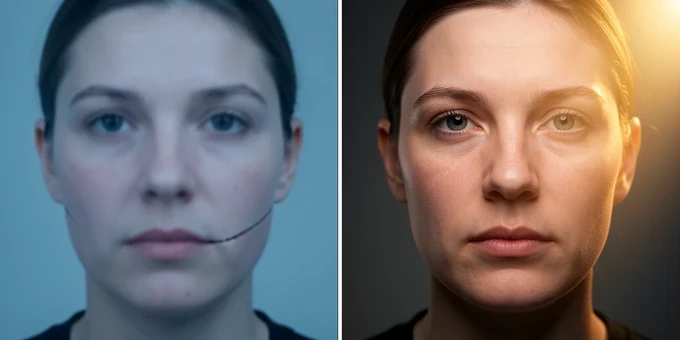
- Compressed or low-quality input starves the model of facial detail and yields a blurry result; feed it uncompressed HD or 4K footage with the face fully visible.
- Mismatched lighting and shadows betray the swap because AI struggles with how light hits a face, so match the source lighting to the target and preview before export.
- Extreme angles, sharp profiles or steep tilts, produce distortions the model cannot resolve; shoot front-facing or slightly angled and cut the bad frames.
- Poor blending leaves visible seams, and post-processing cannot rescue a bad base; get the inputs, lighting, and blend right first, then refine.
One habit prevents most of this. Collect source faces showing varied expressions, joy, surprise, anger, from different angles and lighting, so the avatar does not come out stiff and lifeless. Then match skin tones with AI color correction and soften the mask edges to kill seams.
Is it legal, and do you have to disclose it?
The biggest risk is defamation. If your video falsely shows someone making statements they never made or doing things that harm their reputation, that can be treated like any other published falsehood and expose you to a claim. A famous face raises the stakes, not lowers them.
So consent is the whole game. Resemble.ai and HeyGen both stress getting permission before you use anyone's likeness or voice, watermarking synthetic audio, and being plainly clear that the voice and video are synthetic. The scale of the problem explains the caution: HeyGen reports that 96% of online deepfakes are used without consent.
Some tools simply will not play. Opus.pro states outright that it does not create deepfake or impersonation videos, misleading content, or anything that violates copyright. And the people you might depict are getting tools of their own: YouTube has expanded a likeness-detection feature, working like Content ID, that lets an enrolled adult scan new uploads for their own face and request removal. A clearly labeled parody is the lawful stand-in here; an unlabeled clone of a real person is the thing that gets pulled.
Cost and time reality check
How long and how much, in documented figures rather than guesses. NPR covered a professor who spent $11 and eight minutes making a deepfake, which is roughly the floor. On the avatar side, Axios puts HeyGen near $3 per minute on average with a flat $199 avatar setup. Voices are cheaper than people expect: KnowBe4 notes some services need as little as 6 seconds of video to fake a voice, and HeyGen cites cloning from about 30 seconds of speech. For a turnkey option, Imagine.art advertises custom celebrity-style AI videos delivered within 3 to 5 minutes.
| Route | Documented cost | Time to a clip |
|---|---|---|
| Documented baseline deepfake (NPR) | $11 | 8 minutes |
| HeyGen consented avatar | ~$3/min, $199 setup | Under 5 minutes per segment |
| Pollo AI entry plan | ~£12/month | Short clip per render |
| Imagine.art celebrity-style video | Plan-based | 3 to 5 minutes |
| DIY DeepFaceLab on a GPU | Hardware only | Hours to days of training |
The cheapest path to a watchable result is a browser tool with a face you are allowed to use. Validate the idea there first. Only sink hours into a GPU pipeline once you know the clip is worth the training time, and only ship anything with consent secured and the synthetic nature labeled.
the whole guide is built around faking a celebrity, but my actual case is the opposite. i already have full written consent from a coworker and just want her avatar for internal training clips. so the entire legal section doesn't really apply, and i still couldn't find which tool keeps the same voice stable across 40+ short videos
the $199 flat avatar setup on heygen is what stops me cold. for one internal explainer that's steep, anyone found something cheaper that isn't capped at 1 credit a day
skimmed it ngl. i just need the fastest consented talking head, under 5 min per segment like it says?
wait so even if it's literally my own face i still record a separate consent video? recording consent for myself feels so weird lol
ran hedra, akool and kapwing back to back a few weeks ago. for a plain talking avatar kapwing's stock personas meant i uploaded nothing, but the lipsync drifts on longer scripts. akool is face swap between two stills, totally different job, people keep lumping them together
sounds like a press release tbh. 'a few minutes' assumes an empty queue, mine sat 11 min on the free tier twice in a row
used heygen for almost a year for course narration then dropped it. the per minute creep killed it, my bill went from like 23 a month to over 60 once i had real volume
@buster yeah that's my fear exactly, the $3/min average looks fine until you script 20 minutes
small correction to the article, the 96% figure is deepfakes used without consent, not 96% of tools blocking celebrities. those are different claims and the comments are already blurring them
honestly half my use case isn't even celebrities, i wanted to animate an old photo of my grandfather for a family thing. does the celebrity block also trip on a random dead relative or no
@Baby Shark it won't flag your grandfather, the filter is keyed to recognizable public figures and copyrighted images. but you still need the lighting and a front facing shot or akool gives you seams
+1 on the queue thing, free tier is basically a demo
the part nobody mentions, none of these keep a consistent voice if you regenerate a clip a week later. for a series that's the whole problem and the guide skips it
@Ishtar Music can confirm, cloned a voice from about 30 seconds and the second batch came out noticeably brighter. had to reclone. consistency across sessions is the real cost, not the per minute price
i'm in the exact mismatch this whole thread is about. my goal was dubbing my own youtube vids into spanish, not a celebrity at all, and every tool here treats lipsync as an afterthought for that
kapwing handled my dub ok actually, the update audio step. but exports got slower the longer the project, a 4 min one took ages
pollo ai at £12 a month is the cheapest real option in the table, why is everyone ignoring it
@ADTR because pollo caps clip length hard on the entry plan and the longer video mode is gated. fine for a 15 sec test, useless for a course module
didn't get the difference between method 1 and method 4, both sound like type a script and pick a face
@Baby Shark method 1 is desktop browser with voice cloning, method 4 is the mobile/no-install bucket like reface and the stock persona route. reface is swap only though, no script input, so the grouping is a bit off in the article
reface is near real time sure, but it's a toy. nobody's shipping client work off a phone swap
meh, for a quick joke clip it's perfect though
tried the roop colab notebook for my dubbing thing thinking i'd get better lipsync than the browser tools. spent an evening on it and the result wasn't worth the frame extraction hassle. long story
the bill hader to tom cruise clip is deepfacelab territory, hours of training. people read '8 minutes' and '12 million views' on the same page and think they're the same workflow. they are not even close
the $11 eight minute professor number is from NPR and it's a floor, not a typical result. it gets quoted like a guarantee
on phone in the waiting room, will reread the GPU section tonight. anyone actually run deepfacelab on a 3060 or is 12gb not enough
the part that bugs me, none of the cost figures include the time you burn relighting and reshooting source footage. that's the actual budget
imo the whole 'done in minutes' framing only holds if your inputs are already perfect, which they never are
what's an avatar 'preset voice' vs a clone, like is preset just a robot voice
preset is the tool's stock voice, clone is built from your sample. KnowBe4 says some services fake a voice off 6 seconds which honestly is the scarier line in the whole article
6 seconds, used to be like 30 last i checked, no clue if that's the same tool or a different one being quoted
different tools. 6s is the floor someone advertised, heygen's own number is around 30s of speech. both are in there if you read carefully
this
my real gripe, the free tiers all funnel you to a watermark or a 1/day limit and the article kind of glosses that as 'thin'. it's not thin it's unusable for anything real
anyone compared the actual output quality of the £12 pollo plan vs heygen paid? trying to decide before i spend
the youtube likeness detection bit is the only genuinely new thing here, content id for your face. that changes the math for anyone doing parody
and it's adults only and you have to enroll, so a parody of someone who hasn't opted in still slips through for now. the guide implies it's broader than it is
ok so for just my own face talking, cheapest legit path is... heygen photo avatar is free right? or did i misread
@Baby Shark photo based avatar is free, the $199 is the full personal avatar from the selfie+consent video. the free photo one is stiffer but for your case probably fine
stiff is the word. the photo avatar barely moves its head, fine for a talking thumbnail, bad for anything 2 min plus
reading this on lunch and now i'm just gonna record a 2 min selfie and stop overthinking it
wish there was one table comparing voice consistency across sessions instead of price. that's the spec that actually matters for a series and nobody benchmarks it
because it's hard to measure and looks bad, so no vendor publishes it
opus.pro just refusing to do impersonation at all is interesting, didn't know a tool drew that line
few do. most just block the upload and let you figure out why, opus says it upfront which i kind of respect
so if my source photo is a bit blurry is that fixable in post or just redo the photo