
Put your face into any meme using free AI tools
The fastest route depends on the meme. For a still image meme, drop your portrait and the template into Magic Hour and download a watermark-free result in seconds. For a video meme bound for TikTok or Reels, Viggle swaps your whole body into a template clip. Want a static meme to move? Viggle Move animates it from a short video of you. Browser tools like Pixlr and FlexClip cover the rest, including captions. One catch trips up most first attempts: cartoon meme faces will not swap, and this guide shows why.
What you need before you start
Three inputs decide whether your first swap works: a clean face photo, a target meme the AI can actually read, and a stable connection, since every tool here runs in the cloud.
- A clear, well-lit, front-facing close-up portrait of the face going in, saved as JPG, PNG, or WEBP under 10 MB.
- A target meme with a real human face. Illustrated faces like Wojak or Pepe will not trigger detection on most tools.
- For video memes, a short MP4 clip or a pick from a tool's built-in template library.
- A stable internet connection.
- Source video clips can run up to 60 seconds on JoggAI; Viggle manages its own template lengths.
Meme templates fight the AI in ways ordinary photos do not. Many are heavily compressed JPEGs. Some use cartoon or illustrated faces, and plenty sit on low-contrast backgrounds. Each of those reduces how accurately the model finds facial landmarks, the step every swap quietly depends on.
Method 1: swap your face into a static meme image (Magic Hour)
This is the path most people want. Magic Hour runs free in the browser, asks for no account, and adds no watermark to free photo output, per magichour.ai.
- Open magichour.ai/products/face-swap. No account creation needed.
- Upload the target meme, the image where the face gets replaced. Use a JPG or PNG with a photorealistic human face.
- Upload your face photo: a well-lit, front-facing close-up with no sunglasses or hats.
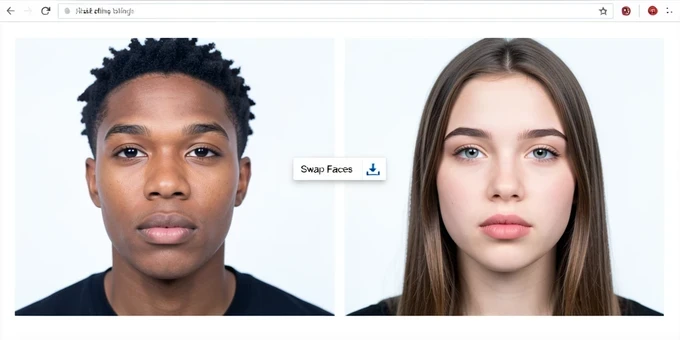
- Click Swap Faces. The tool handles face alignment and skin-tone matching on its own, blending the lighting in seconds.
- Download the result. There is no watermark, and Magic Hour states the output is commercial-use ready.
One habit improves results more than any setting here: feed it a close-up portrait, not a full-body shot. In a full-body photo the face holds too few pixels for the AI to pull clean detail.
Method 2: swap your face into a meme video template (Viggle Mix)
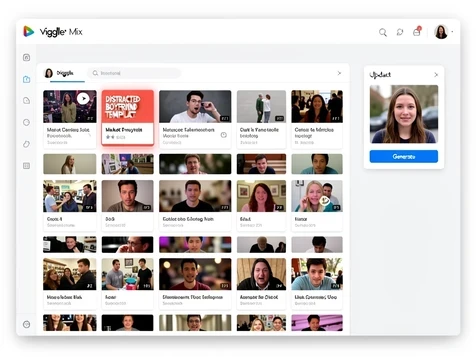
Video memes are the fastest-growing format on TikTok and Reels, and a photo tool cannot make one. Viggle's Mix feature swaps your full body into a template clip, not just a face crop. The free tier gives 5 memes per day with no credit card, per viggle.ai.
- Go to viggle.ai/meme and open the Mix tab.
- Pick a template from the library of 1000+ free formats, such as a Drake Hotline Bling or Distracted Boyfriend video. Templates are pre-validated for face detection.
- Upload your photo. A full-body shot drives a full-body swap; a portrait works if you only want the face replaced.
- Generate, then download or share straight to TikTok, Instagram, or WhatsApp.
Because Mix replaces the whole body, your photo's framing matters more than in a still swap. Each generation counts toward the 5-per-day free limit, which resets at midnight UTC. Run dry and you should wait for the reset rather than open a second account, which can break Viggle's terms.
Method 3: animate a still meme with your own movements (Viggle Move)
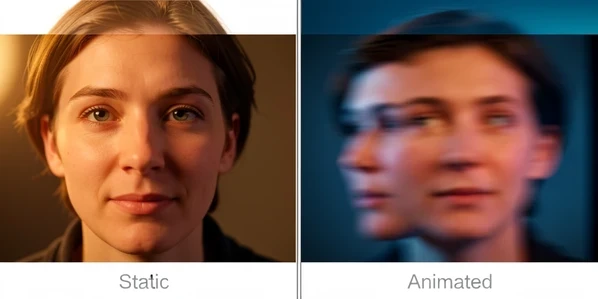
Mix and Move sound similar and do opposite jobs. Mix drops you into an existing video meme. Move takes a still meme image and animates it from a video of you, so a frozen Drake picture starts mimicking your head tilts and expressions.
- Open viggle.ai/meme and switch to the Move tab.
- Upload a static meme image. It needs a photorealistic human face for detection to work.
- Upload a short video of yourself doing the motion, or perform it live on your camera.
- Generate and download the animated meme. It counts toward your 5 free daily memes.
This is how a still Distracted Boyfriend turns into a moving reaction GIF carrying your own expressions. Run the same source face through Magic Hour and then Viggle Move and the gap shows itself: one returns a crisp still, the other a short clip that moves.
Method 4: browser tools with a template library (Pixlr and FlexClip)
Pixlr suits readers who want a quick browser swap and a built-in template picker. Its AI Face Swap returns a PNG in a few seconds, and Pixlr states your output stays private and belongs to you.
- Open Pixlr's AI Face Swap tool in the browser.
- Upload the source photo holding the face you want to use.
- Upload the target meme where that face will land.
- If the faces swap the wrong way, hit the double-arrow switch button to flip source and target without re-uploading.
- Download the finished PNG.
FlexClip earns its place for what comes after the swap. It finishes a face swap in seconds, says your images stay secure throughout the process, then lets you add meme captions or stickers and animate the still result into a short video or GIF. That keeps caption work in one tab instead of bouncing to a separate app.
How to get the most realistic result: a photo prep checklist
Most quality failures are decided before you click generate. Run this check first.
- Use a well-lit, front-facing close-up. Skip sunglasses, hats, or anything covering part of the face.
- Match the lighting direction of the meme. If the template is lit from the left, shoot your selfie with light from the left: the single biggest factor in a natural blend.
- Keep the file as JPG or PNG under 10 MB, the practical ceiling EaseMate sets on uploads.
- Avoid heavily filtered selfies, since beauty-filter smoothing erases the landmarks the AI reads.
- For video memes, pick a clip where the subject mostly faces forward. Fast head turns cause tracking artifacts.
Common mistakes and how to fix them
Bad outputs usually trace back to one of four causes. Here is how to read them.
A low-res or partially hidden face photo is the common one. The AI cannot map facial landmarks it cannot see, so it returns a misaligned or ghosted face. Replace it with a high-quality, unobstructed close-up.
Using a full-body photo as the face source fails for a related reason: the face holds too few pixels to extract usable detail. Crop to head and shoulders before uploading.
Loading the source and target into the wrong slots produces the reverse swap. In Pixlr, the double-arrow switch button fixes the order without re-uploading either image.
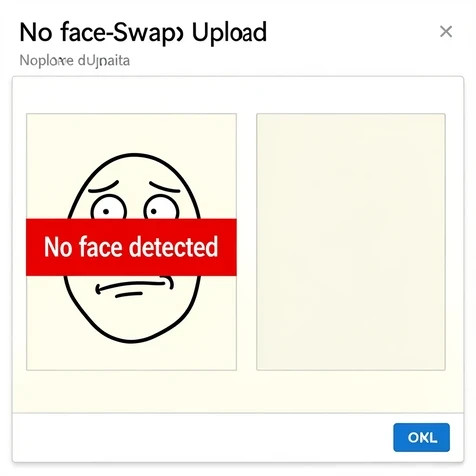
The failure unique to memes is the cartoon face. Detection models are trained on real faces, so a Wojak, Pepe, or MS Paint meme gives them no landmarks to find, and the tool errors out or returns blank. Pick a meme built on a real human face like Drake, Distracted Boyfriend, or Crying Jordan, or stick to Viggle's pre-validated library.
Is it okay to use AI face swap for memes? Ethics and consent basics
Yes, within limits, and the limits are simple. Swap your own face, or a face whose owner agreed to it.
- Only swap faces of people who consented, or use your own.
- Label face-swapped memes as AI-generated when you post publicly, so viewers are not misled.
- Keep public figures out of contexts that could read as defamatory, sexual, or politically misleading.
- TikTok and Instagram both require AI-content labels, and skipping them risks removal.
Commercial use needs a per-tool check. Magic Hour states its outputs are commercial-use ready; the others vary, so read their terms before you sell anything. Privacy splits the tools too: EaseMate deletes uploaded files from its server after processing so no one else can access them, and BasedLabs does not store faces server-side.
Quick tool comparison: which one should you use?
Match the tool to the job. Still image, video, or animated still each point to a different pick.
| Tool | Best for | Free tier | Sign-up | Watermark on free output | Speed |
|---|---|---|---|---|---|
| Magic Hour | Static image memes | Free | Not required | None | Seconds |
| Viggle | Video and animated memes | 5 memes per day, no credit card | Account | Not stated | Seconds |
| Pixlr | Static image memes in-browser | Free | Not stated | Not stated | A few seconds |
| FlexClip | Static image plus post-swap animation | Free | Not stated | Not stated | A few seconds |
| EaseMate AI | Static image memes | 30 credits after login | Login required | Not stated | Files deleted after processing |
| JoggAI | Video memes up to 60 seconds, 1080p | No credit card | Account | Not stated | Not stated |