
Nano Banana Pro as a face swap tool: an honest review of what works, what costs, and what gets blocked
Short answer: Nano Banana Pro is not a face swap app. It is Google's Gemini 3 Pro Image model, and it does identity-preserving portrait editing extremely well on original characters at up to 4K, with reported 98% character consistency across 30 multi-edit sequences in seadanceai.com testing. Celebrity face swaps are blocked by safety filters. Video face swap is unsupported. The free tier (3 images per day at 1 MP) is too thin to evaluate quality, so practical use starts at the $39.99/mo Pro plan or roughly $5.3/mo through GlobalGPT.
What is Nano Banana Pro and can it actually swap faces?
It can edit faces, but not the way a dedicated face swap tool does. Nano Banana Pro is built on the Gemini 3 Pro Image architecture, a generative model rather than a pixel-level swap engine. Where Reface or DeepSwap transplant a face region, Nano Banana Pro regenerates the image with identity references guiding it. That distinction shapes everything else in this review.
Two features get it close to face swap behavior. The first is character consistency: per Google's own product page, the model maintains facial features, skin texture, and identity for up to 5 people across multiple generations. The second is localized editing (inpainting), which lets you select a face region and refine it without regenerating the rest of the frame. Combined, they cover most of what a creator means when they say face swap on my own character.
The catch: safety filters are aggressive. The apiyi help docs explicitly call out portrait editing products and celebrity face swaps as restricted categories, and outfit changes on celebrities trigger the same block. If your workflow depends on either, this is not the tool.
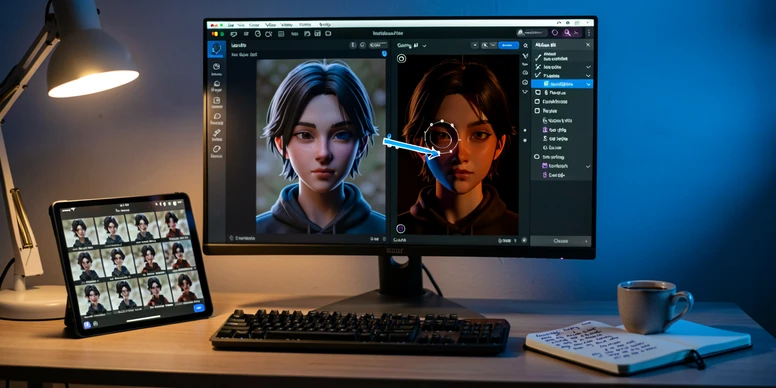
Face swap capabilities: what works, what gets blocked
Original character editing is the green zone. Per the apiyi documentation, editing and changing outfits for original characters generally works without restriction, and so does standard portrait editing, relighting, and style transfer. The model accepts up to 14 reference images in one generation, which is the practical mechanism for nailing a consistent face across scenes.
Three categories reliably fail. Celebrity face swapping is blocked outright. Financial document editing gets flagged for fraud detection. Adult-oriented portrait suggestions hit stricter filters. The error messages are not always specific, which means a failed prompt can look identical to a generic refusal. Test in cheap volume before scaling.
- Works: editing your own character's face, hair, or outfit; relighting a portrait; style transfer on a non-public subject.
- Blocked: any face swap involving a celebrity, public figure, or recognizable real person.
- Flagged: edits that simulate financial documents or that read as adult-oriented portrait content.
- Conditional: branded marketing visuals where text rendering matters, since spatial labeling can drift.
Wired's hands-on flagged a separate trust issue: spatial accuracy errors, including an arrow pointing at a spoon labeled Autumn leaves. That kind of mislabeling is a small thing in a landscape image. In a portrait edit where you need a freckle, scar, or earring kept in place, it raises the cost of every output you do not personally inspect.
Character consistency and identity preservation: the numbers
The headline figure is 98% character consistency across 30 multi-edit sequences, measured by seadanceai.com. That is the metric face swap users actually care about: across a chain of edits, does the same person come back? The comparable number for the older Nano Banana is 94%, and the gap shows up clearly in workflows that go past two or three iterations.
What does 98% feel like in practice? On a five-edit sequence (relighting, outfit swap, scene change, color grade, expression tweak), one of every fifty edits drifts noticeably enough to redo. For a creator running 60 portrait edits per month, that is roughly one or two re-rolls. Acceptable. For an e-commerce shop running thousands, those re-rolls add up to real money, and inpainting a single face region is the cheaper move than regenerating from scratch.
Two mechanics drive the consistency. Multi-image reference blending accepts up to 14 reference photos as input, anchoring identity from several angles. Conversational image editing then lets you keep iterating in the same session via follow-up text prompts, no re-uploads, no fresh seeds. Run five reference shots of the same character, then ask for three different scene backgrounds in conversation, and the face stays put.
Pricing breakdown: what face swap workflows actually cost
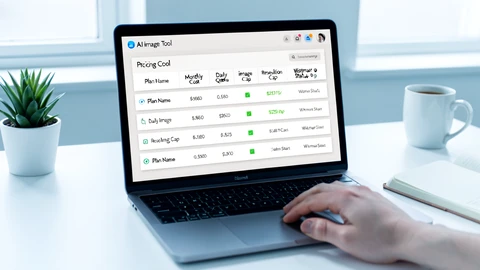
Nano Banana Pro is sold across five access points, and the per-image math is what should drive your choice, not the headline price.
| Tier | Price | Volume | Resolution | Watermark |
|---|---|---|---|---|
| Free / Basic | $0 | 3 images per day | 1 MP | Visible logo plus SynthID |
| Google AI Pro | $39.99/mo | ~100 images/day | Up to 4K | Visible logo plus SynthID |
| Google AI Ultra | Subscription (amount not publicly specified) | ~1000 images/day | Full 4K | SynthID only |
| API (fal.ai) | $0.15 at 1K, $0.30 at 4K per image | Pay per generation | Up to 4K | SynthID only |
| GlobalGPT (third-party) | ~$5.3/mo | Unlimited | Up to 4K | SynthID only |
The free tier is a demo, not a workspace. Per magichour.ai's pricing breakdown, Free users get exactly 3 generations a day at 1 MP and then the system reverts to the older Nano Banana model. Per glbgpt.com, free users cannot generate at 4K at all. If your output is going on a product page or a paid Reel, the free tier cannot deliver the resolution. Period.
A worked example. A solo creator generating 60 portrait edits a month: free tier covers two days of work and then quits; Pro at $39.99/mo covers it 50 times over but stamps a visible watermark; fal.ai at $0.30 per 4K image runs $18 with no logo; GlobalGPT at $5.3/mo runs unlimited with no logo. For sub-100-edit volumes, GlobalGPT or fal.ai is the cheaper, cleaner path.
One time-sensitive note. Per apiyi.com, on December 7, 2025 Google slashed free API quotas, with some models cut by up to 92%. Anyone planning a workflow around free credits should treat them as gone. Verified at publication time.
Watermarks and commercial use: what each tier allows
Every Nano Banana Pro output carries an invisible SynthID metadata watermark, embedded by Google DeepMind as an AI provenance marker. It cannot be removed, and that is the point: it is meant for transparency, not protection. Whether SynthID can be detected or stripped by third parties is not addressed in any of the sources reviewed for this piece.
Visible logo watermarks are the part that affects publishing decisions. Free and Pro tiers ship outputs with a visible logo on top of SynthID. Ultra and API tiers ship SynthID only, no logo. Per magichour.ai, GlobalGPT's third-party access also delivers SynthID-only outputs at 4K, which is why it ends up cheaper than Pro for anyone doing commercial publishing.
What that means in plain terms: a $39.99/mo Pro subscription gives you portrait edits at 4K with a Google logo on every image. For a portfolio site or an internal mood board, fine. For a paid social campaign or a product page, that visible mark is a downgrade. Push to Ultra, the API, or GlobalGPT for clean-frame commercial output.
Speed and output quality for portrait editing
Nano Banana Pro generates an image in roughly 9.2 seconds on average, plus or minus 2.1 seconds, in seadanceai.com testing. fal.ai reports the upper end of the range as 10 to 20 seconds per image, against 4 to 8 seconds for the older Nano Banana 2. Either way, this is a slower model than its predecessor.
Why it matters for face editing. Iterative portrait work is rarely one prompt and done. A single subject often takes five to ten attempts to land. At 9 seconds per image, a 10-attempt session is 90 seconds of generation; at the 20-second high, it is over three minutes of waiting before you see the right face. Compare that with Nano Banana 2's 4 to 8 seconds and you understand why some creators stay on the older model unless they specifically need 4K.
Output quality is mostly excellent. 4K resolution is real on Pro, Ultra, and API tiers, and text rendering accuracy was clocked at 98% by seadanceai.com (vs 67% for DALL-E 3 and 31% for Midjourney), which matters for branded portrait overlays and any face swap that includes a name plate or caption. The one consistent complaint, from Wired's reviewer: a yellowish tint creeping into AI-generated marketing graphics and portraits. It is correctable in post, but it is a fingerprint.
Nano Banana Pro vs dedicated face swap tools: when to use each
If you came here expecting a head-to-head against Reface or Magic Hour, the honest answer is they solve different problems. Reface and Magic Hour are pixel-level face transplant tools with deep video support and celebrity face templates. Nano Banana Pro is a generative model that uses identity references to regenerate frames; its 98% character consistency and 14-image reference input are stronger for multi-image brand workflows than anything those tools offer.
Pick a dedicated face swap tool when you need video frame replacement, mobile-first ergonomics, or a celebrity face template. Pick Nano Banana Pro when your workflow involves portrait editing, relighting, or style transfer alongside identity preservation, and your subjects are original characters.
One non-obvious comparison. Nano Banana 2, the cheaper sibling, is half the per-image price on fal.ai, runs in 4 to 8 seconds, and posts 94% consistency. For a creator who is not chasing 4K and needs speed, Nano Banana 2 is often the smarter pick. Pro earns its premium in resolution and consistency, not in everything.
Verdict: is Nano Banana Pro worth it for face swap use cases?
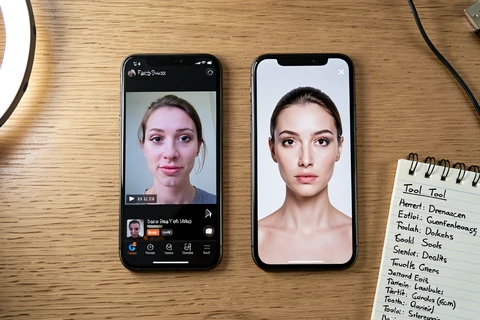
Yes for one specific buyer: creators, marketers, and small e-commerce teams running identity-consistent portrait edits on original characters at 4K. Inside that lane it is the strongest tool available. Pro at $39.99/mo is the practical entry point, and GlobalGPT at roughly $5.3/mo is the budget path to 4K with no visible logo.
No for several others. If you need video face swap, use Magic Hour or Reface. If you need celebrity face editing, this model will refuse you. If you need real-time generation, 9 to 20 seconds per image will frustrate you. If your budget tolerates only the free tier, 3 images a day at 1 MP cannot deliver enough output to evaluate quality, let alone ship work.
Skip the free tier as an evaluation step. It does not generate at 4K, watermarks every output, and quits after three images. Buy one month of Pro, run 30 to 60 portrait edits across the workflows you actually plan to ship, and decide. That is the only honest test.
the math here is weird ngl. $39.99 for what is basically gemini with a logo stamped on every export, why
wait, the logo is on every pro output? for real?
yes thats what kills it for me. tried it last week for a client mood board, every render had that mark, useless for paid work
meh
ok so globalgpt is the move then? $5.3 sounds suspicious tho
thats my point. either its a reseller with shady quota or it dies in 2 months, i wouldnt build a workflow on it
tldr skipped most of it, can someone just say if it works for editing my own avatar pics or not
yes it works for original characters, thats actually the strong case. ran 47 edits on a single OC last month, only 2 needed re-rolls. the 98% number tracks for me, not marketing fluff in this case
47 edits is a small sample. try it at 600 and the consistency dips, ive seen the face go off around edit 80 or so
fair, i havent pushed it that far on one character. on shorter runs its solid. the trick is feeding 12-14 references upfront instead of iterating from one image, the drift gets much worse if you start from a single anchor
+1 on the reference stack thing
reading on lunch, will try the 14 reference approach tonight from desktop
also worth flagging: the article says inpainting is cheaper than full regen, thats correct in token cost but in my testing the face region inpaint sometimes shifts the jawline by like 3-4 pixels, enough that you can see it in a portrait. for product shots i still regen the whole frame
3-4 pixels is that much?
on a 4k portrait yes, the eye catches it immediately. on 1mp youd never see it tbh
sure, in a perfect world. in practice nobody is reviewing each 4k crop pixel by pixel, you batch and ship
depends on the use case. for a 23-image campaign i review every one. for a 400-image catalog obviously not, and yeah the inpaint shift is invisible at thumbnail scale
i just use it for memes lol, none of this applies
the article skips the api option too lightly imo. $0.30 per 4k image is the actual answer for most freelancers, no subscription lock-in
agreed on api being underrated. one thing the article gets wrong or at least understates: fal.ai charges $0.30 per 4k but you also pay for failed safety blocks in some setups, i ate $4 last month on celebrity-adjacent prompts before i learned to pre-screen. not zero cost
so you confirm the celeb filter is overaggressive. a friend tried a public domain historical figure last week, blocked. ridiculous
yes the filter doesnt distinguish public domain vs living, its a blanket. workaround is to describe the face in text rather than reference, but then you lose identity preservation, kinda defeats the point
ok this thread is way more useful than the actual piece
buster basically wrote a better review in 5 comments
so the historical figure thing, is there any combo of api tier where the filter relaxes or is it baked in across all access points?