
Face swap workflows that turn one selfie into publish-ready reels, memes, and live streams
You do not need a camera day to keep up with TikTok trends. Pick a template, upload a clear front-facing selfie, wait under a minute, and you have a vertical clip ready for TikTok, Instagram Reels, or YouTube Shorts. Viggle lists 8,000+ free video templates, Magic Hour exports at 4K, and DeepSwap turns around a one-minute video in ten seconds. The rest of this guide covers the five content formats where face swap actually earns views, the exact 5-step workflow beginners use to publish, which tool fits which platform, and the AI disclosure and consent rules you need to clear before you hit post.
Why face swap is the fastest way to ride a trend without filming new content
Trends die in days. Filming, editing, and posting fresh footage inside that window is what burns out creators. Face swap collapses that loop. A TikTok creator with 150K followers, cited on the MyShell case page, used face swap to recycle existing viral clips and pulled 2M views in twelve hours without shooting anything new. Over on Magic Hour, a growth marketer reportedly spun up Instagram posts in minutes and picked up thousands of new followers from the same workflow.
Part of the speed comes from how modern tools handle the ugly work. Magic Hour says its automatic alignment and blending cuts cleanup time by 70 to 90 percent, which is the step that usually eats an afternoon in a traditional editor. The result: you move at the speed of the trend, not the speed of your edit suite.
Scale matters for a second reason. When 500K+ creators used Magic Hour in the last 30 days and Viggle reports 40M+ users with a 4.8-star App Store rating, face swap stops being a gimmick and starts being a normal short-form video tool. The feeds your audience scrolls every day are already full of it.
The 4 social media use cases where face swap delivers the highest ROI
Not every format rewards a face swap equally. Five repeatable patterns do the heavy lifting for short-form creators, and each matches a different tool strength.
TikTok trend-hijacking
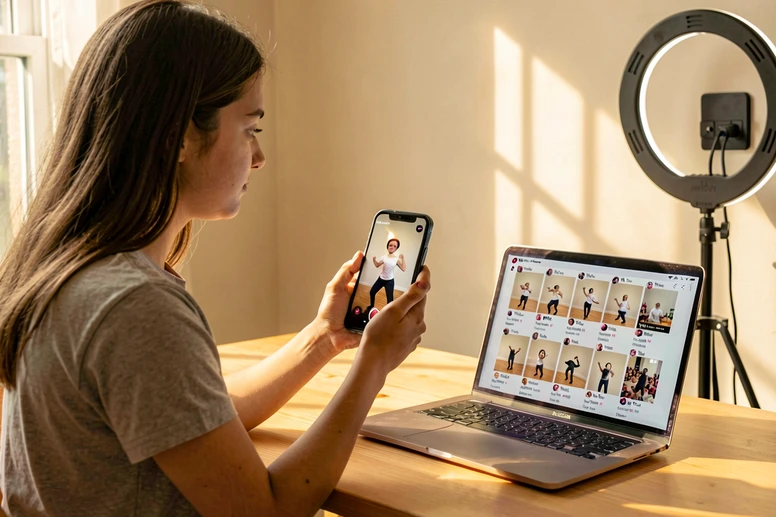
Drop your face into a viral dance or meme template while the audio is still climbing. Viggle is the workhorse here: its 8,000+ free video template library is built to let you grab a trending clip without hunting for source footage. Signed-in users get up to five free videos per day, and generation usually finishes in under a minute, which is the window that matters when a sound is breaking.
Instagram Reels
Reels reward polish. Magic Hour exports at 4K with frame-level precision, so your clip does not look like a free-tier artifact when Instagram compresses it. Upload a clip, upload a face photo, export vertical, post. That is the entire loop.
Meme and reaction content
Memes are where face swap started and where it still prints engagement on Twitter, Reddit, and Discord. Pick a classic template, paste in your face, share. The output does not need 4K. It needs to land the joke inside of five seconds.
Brand UGC campaigns
Instead of paying for creators, let customers become the creators. MyShell positions itself explicitly around trend-hijacking and brand fame, generating an output in about sixty seconds. A brand uploads a meme or dance template, invites users to swap their own face in, and a wave of organic UGC does the distribution work without a production budget.
Real-time live streaming
Viggle LIVE handles the real-time case: pick a character, go live on Twitch, Discord, or YouTube, and appear as that character for the whole stream. The novelty drives clip-outs, which then feed the next day's short-form content.
Step-by-step: Create a TikTok or Instagram Reel with face swap in under 5 minutes
This is the beginner path. Follow it exactly the first time, then tune it to your own tool stack later.
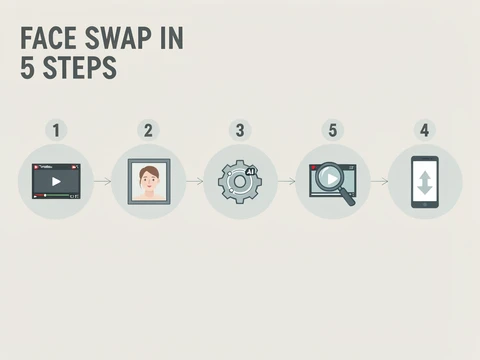
- Choose a trending video template from the tool's library, or upload a short clip you want your face inside. Viggle's 8,000+ templates are the easiest starting point; for Reels, upload the vertical source you actually plan to post.
- Upload a clear, front-facing selfie or face photo. JPG, PNG, or WebP at up to 10MB is standard. Even lighting, no glasses, no hat, both eyes visible.
- Let the AI generate the face-swapped clip. Processing is usually under sixty seconds on Viggle, or about ten seconds for a one-minute video on DeepSwap.
- Review the output before downloading. Scrub through fast-motion moments, head turns, and close-ups. That is where blending artifacts hide.
- Export as vertical MP4 and post. A no-watermark export usually requires a paid tier on most tools, so decide early whether this clip is worth upgrading for.
Pro tip: your source photo determines 80 percent of the final quality. A well-lit, front-facing shot gives the landmark detector the most points to lock onto. Side profiles and glasses degrade output quality because the model has fewer reference points to align against.
Viggle gives signed-in users up to five free videos per day, which is enough to batch a week of TikToks in one sitting. If you need 4K for Reels, Magic Hour is the better landing spot on day one.
Tool comparison: Which face swap tool fits your content workflow
Feature lists are not the thing. What matters on a daily posting schedule is free quota, watermark policy, output resolution, processing speed, and whether you can legally post the output under your current plan. Here are the seven tools worth knowing in that frame.
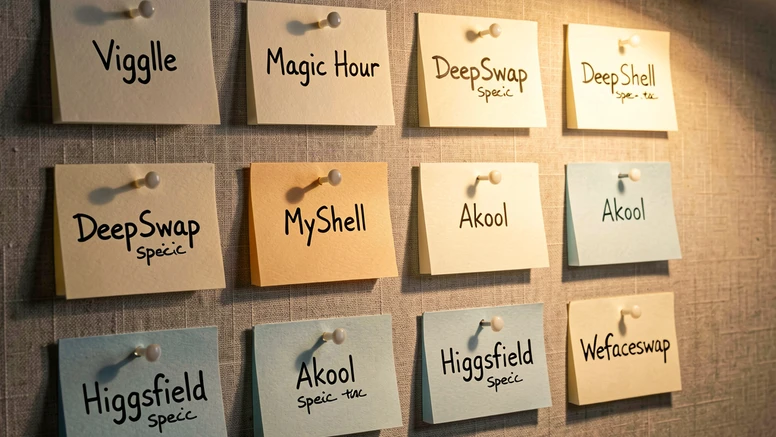
| Tool | Best fit | Free tier | Output | Speed | Commercial use |
|---|---|---|---|---|---|
| Viggle | TikTok trend-hijacking and Viggle LIVE streaming | 5 free videos per day (signed in) | Vertical short-form | Under 1 minute | Paid plan required |
| Magic Hour | Instagram Reels and memes | Free tier available | 4K with frame precision | Fast batch generation | Paid plan required |
| DeepSwap | Speed-first trend chasing | Limited free credits | Up to 6 faces per clip | 1-minute video in 10 seconds | Paid plan required |
| MyShell | Brand UGC and trend-hijacking campaigns | Free credits | Short video and image | About 60 seconds | Per-plan terms |
| Akool | Commercial campaigns and enterprise UGC | Demo access | 4K and 8K | Standard | Commercial-ready output |
| Higgsfield | Professional presenter and spokesperson tests | Paid Pro for commercial use | HD video | 30 seconds to 2 minutes | Included on Pro plans |
| Wefaceswap | Privacy-first quick swaps | 15 images/day or 30 seconds video/day | Short video and image | Fast | Check plan |
A few anchors worth repeating. Viggle sits at 40M+ users with a 4.8-star App Store rating, which is why its template library is the deepest on this list. Magic Hour reports 500K+ creators in the last 30 days and 100M+ AI images generated on the platform. DeepSwap claims a 90%+ face swap similarity score, which it says is 20 percent higher than open-source models, and can reface up to six faces in the same clip. Akool is used by over 10,000 companies, including the Qatar Airways 'AI Adventure' campaign that let viewers star in their own airline commercial. Higgsfield generation speed runs from 30 seconds up to 2 minutes depending on subscription type.
One freelancer cited on the Higgsfield site delivered a client project in three days instead of a week, appearing to have a full creative team. That is the realistic upside: less time gained on any single asset, more time gained across a month of them.
Platform rules you must follow before posting AI face swap content
This is the section every tool page skips, and it is the one that can get an account flagged. Both TikTok and Instagram require creators to disclose when content is AI-generated or AI-altered. Check each platform's current policy before publishing, because the exact labels and rules have tightened multiple times. On TikTok, many creators add the AI-generated label inside the creator tools and also call it out in the caption or on-screen text.
Consent is the other side of the same coin. Every reputable tool prohibits non-consensual face swap content. Higgsfield states plainly that it maintains 'strict policies against any form of non-consensual or harmful content generation'. The practical read: only swap faces of yourself, a co-creator who has agreed, or a public persona inside a clearly satirical context where your platform permits it.
Commercial use is the third catch. Free tiers across Higgsfield, Magic Hour, and most competitors do not grant commercial rights. Higgsfield, for example, includes commercial use with all paid Pro plans. If your clip is going on a brand account, a client deliverable, or a paid partnership, you need a paid plan on the tool that produced it.
Pre-publish checklist
- Do you have consent from every person whose face appears in the output?
- Is the content labeled as AI-generated or AI-altered in line with the target platform's current rules?
- Does your current plan include commercial rights, if the post is commercial?
- Are you using a real person's likeness without permission? If yes, stop.
Privacy and data safety: What happens to your face photos after you upload them
Uploading your face to a third-party server is not a small ask, and creators are right to hesitate. The useful move is to pick tools that have published a concrete retention policy, not vague marketing copy.
- Wefaceswap auto-deletes files within one hour of processing and states that no user data is stored on its servers after that window.
- DeepSwap states no data is collected, with content protected for what users upload and generate.
- ZenCreator advertises GDPR-compliant processing with no data sharing with third parties, with output available up to 4K at 30fps.
- Most browser-based tools are safer than installed apps for one-off creators, because the attack surface is smaller and the session ends when you close the tab.
Four questions worth asking any tool before you upload: Are uploads used for model training? How long is data retained? Is GDPR compliance stated anywhere? Can you request deletion on demand? If the site cannot answer the first three in plain English on a public page, assume the answer you would not like.
Troubleshooting: Why your face swap looks fake and how to fix it
Most failures trace back to one of five specific problems, and each has a fix that takes less than a minute.
Face looks misaligned during head turns or fast motion
The fix is to pick a source clip with slower, more controlled movement. The mechanical reason: face swap runs per-frame landmark detection, and during a fast head turn the model loses track of enough landmarks that the blended overlay drifts out of alignment for several frames before snapping back. Tools tuned for motion consistency, such as Viggle's JST-1 model, are better at bridging those gaps.
Skin tone mismatch or visible edge artifacts
Use a source photo with lighting similar to the target clip. The blending stage copies color statistics from the edge of the target face into your uploaded one, but if the input was shot in warm tungsten light and the target is cool daylight, the edge blend has a larger correction to hide and it leaves a faint halo at the jawline. Magic Hour's automatic alignment and blending cuts these artifacts by 70 to 90 percent, which is why similar-lit inputs still matter most.
Poor results with glasses, hats, or side profiles
Upload a clear front-facing photo without accessories. The landmark detector needs points across the full face: JoggAI, for instance, maps 128+ unique facial landmarks using convolutional neural networks. Glasses occlude the eye region, hats cut the forehead, and extreme side profiles hide half the landmark set entirely, all of which starve the aligner.
Watermark on the exported video
Either upgrade to a paid plan on your current tool, or shift short clips to Wefaceswap's free tier, which offers up to 15 images daily or 30 seconds of free video per day with no watermark stated.
Long processing queue killing your trend window
Switch tools for the urgent job. DeepSwap processes a one-minute video in ten seconds. Viggle generates under a minute. If a trend has a 12-hour shelf life, a 40-minute queue is already a miss.
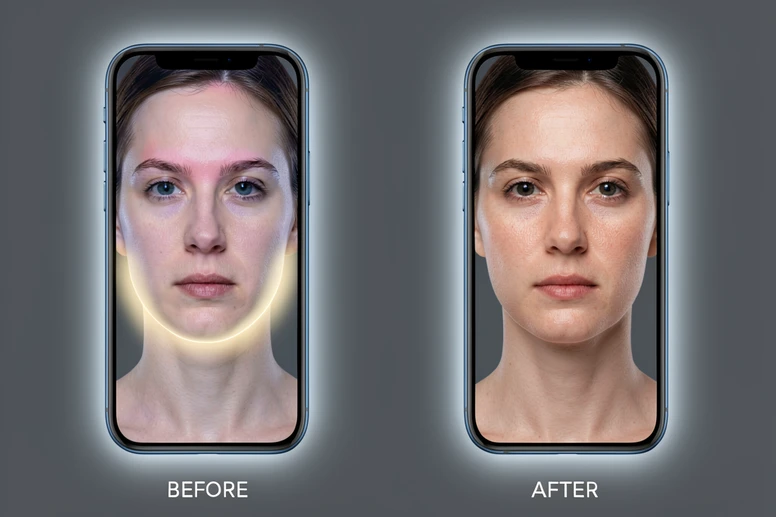
One last habit worth building. Treat every face swap clip as a draft until you have watched it once at full speed with the sound off. Your eye catches misalignment faster than your ear catches a bad cut, and a thirty-second review saves the comment section telling you the post looks AI.
ok so the whole article skips past the obvious thing. you upload your face, it sits on someone's server, that's the part that bothers me and 'no data collected' is not an answer.
this part actually
wefaceswap is the one that says 1h deletion, that's the only retention number in the whole piece. everyone else is just 'we care'.
yeah but a number on a marketing page is still a marketing page. nobody audits it.
meh
deepswap says no data collected which is wild bc the model has to see it to process it. that line just means 'not kept', presumably, idk
exactly. half these claims read like a press release.
@shroud fair, but you can at least test it. spin up a throwaway email, throw a photo at wefaceswap, close the tab. worst case it's the same as any other one-shot upload.
and the free tiers? if i'm paying $19 a month just to maybe delete my data, that's not it
the pricing wasn't even my main thing but yeah that too
wait, the 4k thing is magic hour right? or was that akool
magic hour for 4k. akool goes to 8k per the table.
reading on lunch, will check later
and another thing. consent. the article has like one paragraph on it and then moves on, as if 'only swap yourself' is enforceable. had one weird thing happen a year ago, separate topic.
consent is policy, not a tech feature, you're right. at the tool level the most you can ask for is auto-delete and no training. wefaceswap is the closest.
+1
ok the wefaceswap angle is actually useful, didn't catch that on first read
zencreator also claims gdpr and no third party sharing, 4k at 30fps. that's the only one mentioning gdpr directly in the table.
yeah and 'gdpr-compliant' is a self-declaration on a landing page, but at least it's a claim they can be sued over
for what it's worth i ran the same input through 4 of these last spring and akool was the only one that returned a deletion confirmation by email. wefaceswap silent, deepswap silent, viggle silent. that was 9 months ago so could be different now.
wait does viggle keep the source clip too or just the face photo
good question
this is what i'm getting at. the article gives you 8000 templates but nobody answers what they do with the 137 photos i uploaded last month. i hit the daily 5 cap pretty hard.
for viggle specifically i'd assume both the face photo and the source go through their pipeline, and if a template is community-uploaded it's already on their server. so it's not just 'your face', it's your face plus an editing history. that's the part people don't think about.
didn't think about that ngl
this
ok i'm coming around on the 'pick the one with a stated policy' thing. it's not zero risk but it's at least scoped.
and don't reuse the same selfie across 6 platforms. one face one tool, delete the account after. annoying but that's the actual move.
huh, never thought about deleting the account after. that part i actually didn't know
deleting the account doesn't delete the data on the backend though, unless they explicitly say it does
right and most of them don't say it does
the four questions at the bottom of the privacy section are the right ones. 'are uploads used for model training' is the one most tools dodge.
training is the real bomb. retention you can argue about, but if your face goes into a checkpoint it's there forever and no deletion request gets it out.
fair
ok yeah training is the worse one. retention you can wait out at least.
if you can stomach the speed hit, run faceswap locally. there are open-source options. quality is below deepswap's 90% similarity claim but your face never leaves the laptop.
local face swap on what though, a regular gaming pc?
lol my potato laptop crying already
honestly that's the only answer that fully addresses the data question. everything else is risk management on someone else's server.
yep. and the article won't tell you that because none of the listed tools sell offline.
tldr skipped most of it but the privacy bit was the only useful part for me
on phone in the subway, will redo later but the local option is the one i'd actually try
the part that nobody addresses anywhere, not the article, not this thread: what happens when one of these companies gets acquired and the new owner reads the old retention policy as advisory.
the 4.9 star rating on viggle, is that ios only or both stores
and one more thing, what about the templates themselves. 8000+ on viggle, who consented for their faces to be in those...